
Monitoring Ordered Training Courses
Ordering Training Courses in the Valtti Service
Through the Valtti service, you can order various card and qualification training courses for your employees easily from a single service. Both online courses and webinar-based trainings are available, helping employees keep their skills and qualifications up to date.
Vastuu Group offers a wide range of card and qualification trainings required in working life. Completed qualifications can be displayed in the Valtti service and on the Valtti card, enabling quick and reliable verification of competencies at worksites.
As a user of a Valtti service package (Lite, Standard, or Premium), you receive training courses at a lower price than without a service package. Any applicable discounted price is shown when ordering the training.
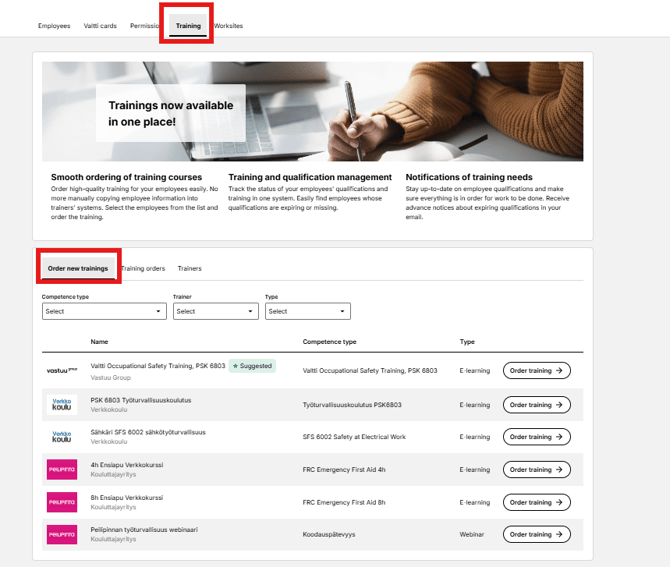
Available training courses can be found on the Training Courses tab in the Valtti service.
How to Order Training Courses
Training courses can be ordered in two different ways.
Method 1: Order a Training Course from Employee Information
- Go to the Valtti service.
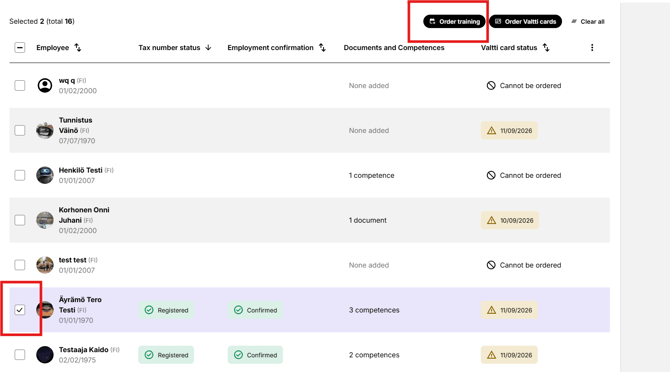
- Select the desired employee(s) from the employee list.
- Click the Order Training button above the employee list.
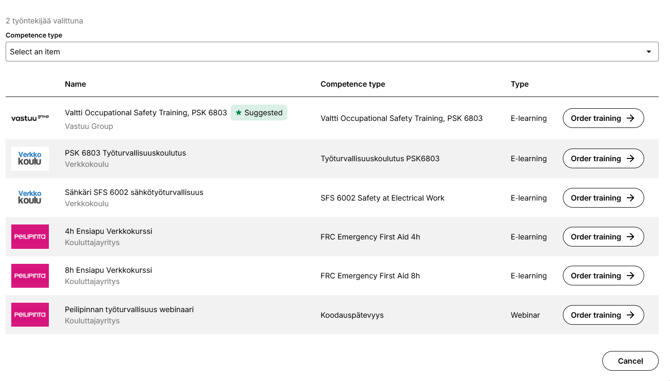
- Select the desired training course.
Method 2: Order a Training Course from the Training Tab
- Go to the Training tab.
- The page automatically displays the available training courses.
- You can also search for training courses using search and filters.
- Click Order Training for the desired course.
From this point the process is similar in both methods:
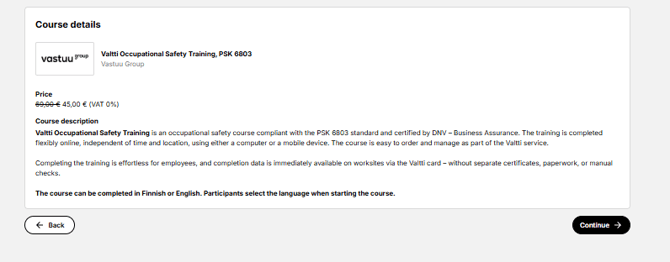
- You will see general course information and pricing.
- Search for the employee(s) you want to enroll by entering their name or tax number in the search field.
- Note: The employee must be added to the Valtti service before they can be linked to a training order.
- Complete the employees’ contact information if necessary.
- If your company has a separate agreement with the training provider, billing will be handled according to that agreement.
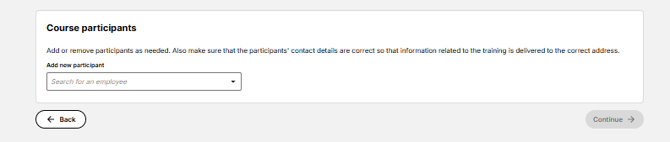
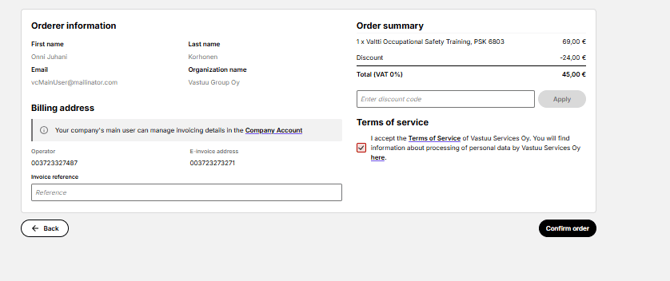
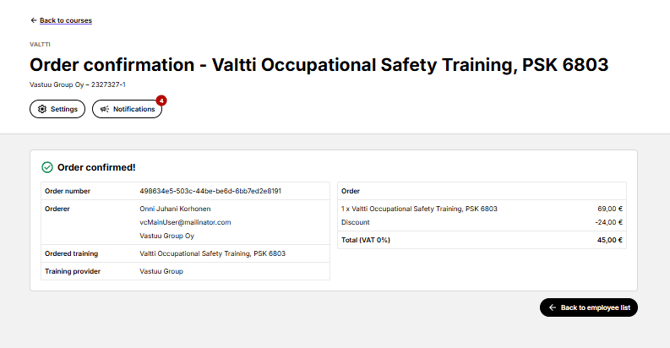
- When you click Continue, you will be taken to the order summary page. Review the order details and confirm the order by clicking Confirm Order.
- After the order is completed, the participant will receive training instructions by email.
- NOTE! Please ensure that the employee’s email address is correct.
Monitoring Ordered Training Courses
You can view ordered training courses on the Training orders tab.
The tab shows:
- Training details
- Order date
- Training date (for webinar trainings)
- Status of the training completion
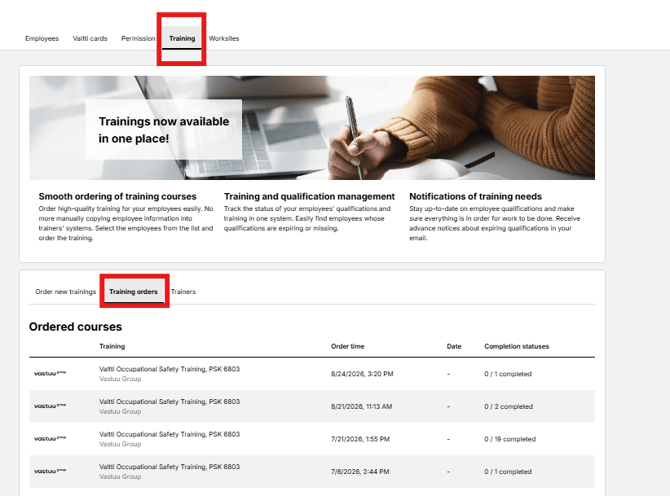
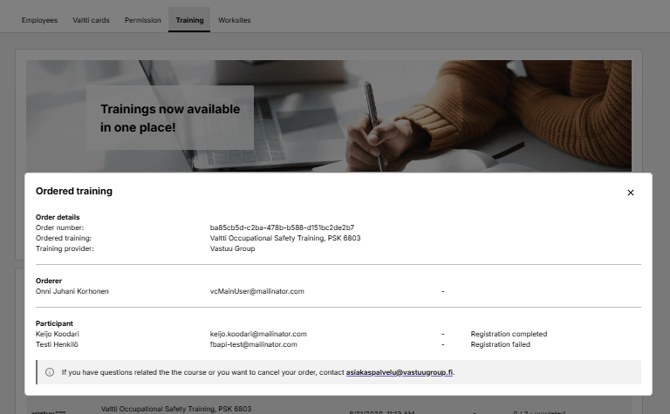
- You can view more detailed information by clicking the training row.
Frequently Asked Questions
Can a training course be completed in parts?
The way a training course is completed depends on the course. More detailed instructions and conditions can be found in the course information and in the instructions provided to participants.
I ordered a Vastuu Group training course. How do I receive the participation link?
After the order is completed, the participation link is automatically sent to the participant’s email address.
If you have not received the email, you can order a new login link from koulutus.vastuugroup.fi using the same email address that was used for the training registration.
I accidentally ordered a training course for the wrong person. What should I do?
Unfortunately, orders cannot be modified or cancelled after they have been confirmed. Please contact the training provider for further instructions.
I ordered a training course. When will I receive the invoice?
The invoice will be sent by the training provider. For billing-related questions, please contact the training provider directly.
Why can't I find a participant using the search function?
Make sure that you have entered the employee’s name or tax number correctly.
Please also note that the employee must be added to the Valtti service before they can be added to a training course.
I completed the training, but I cannot see it in the employee information in the Valtti service.
To display the completion in the Valtti service, the company must have an active Valtti service package (Lite, Standard, or Premium), and the employee’s tax number must be registered in the Finnish Tax Number Register.