
1. Log in to your account.
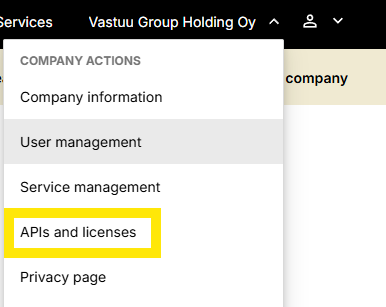
2. From the customer portal homepage, go to the upper‑right corner and select “APIs and licenses” from the dropdown menu.
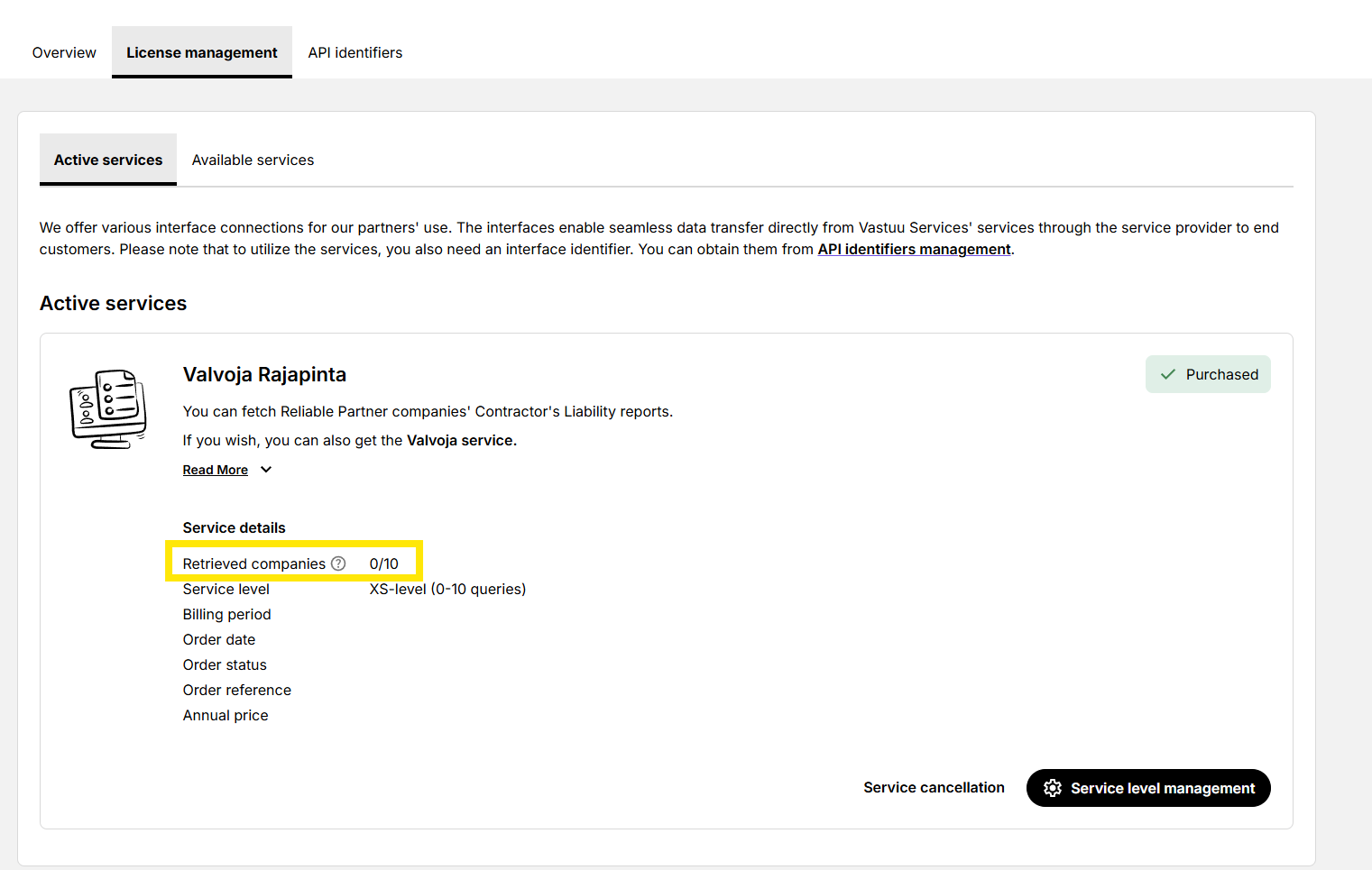
3. In the Manage your company's information, select “License management” and then “Active services.”
4. You will see the details of your Valvoja Rajapinta (API) license. Next to “Retrivied companies,” you can view your usage. That is, how many companies’ reports have been retrieved during the current billing period.
The usage data updates once per day.
The usage count resets at the start of each new billing period.