
How to create an account and a customer identifier
Customers shared by Vastuu Group and its partners must register an account and create customer-identifiers in order to start using data transmitted via the APIs.
If your company does not yet have an account, please register one first.
Next, follow the instructions below to create customer-identifier.
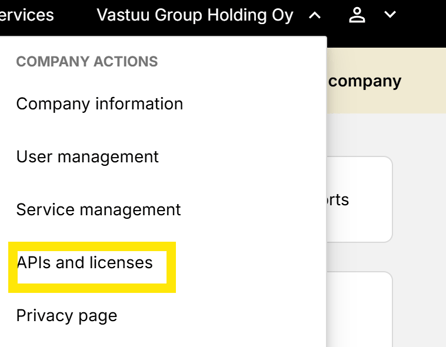
1. Log in to your account → On the customer portal homepage, navigate to the drop-down menu in the top right corner and select APIs and Licenses.
Please note! You must be a main user or have the customer-identifiers management permission granted by the main user in order to create and manage customer-identifiers.
2. In the API Identifiers view, you can manage customer-identifiers that have already been created.
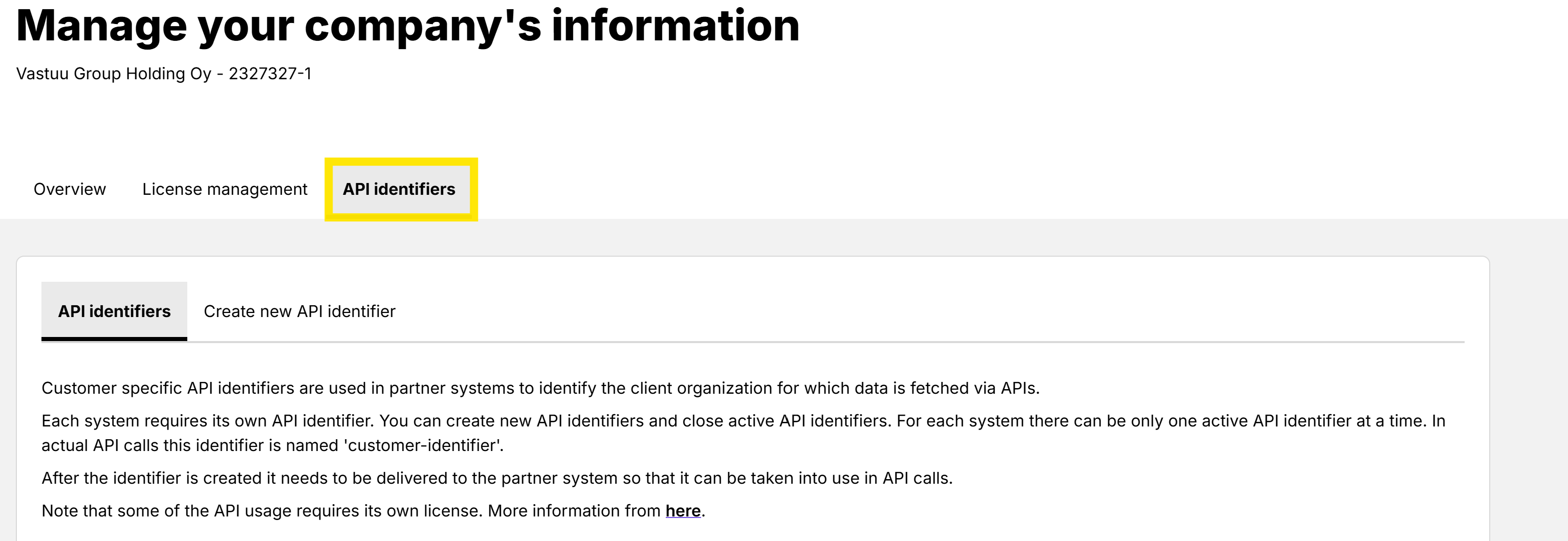
3. By clicking Create new API identifier you can search the existing options by system name and create new customer-identifiers
4. Copy the generated customer-identifiers and provide it to your system provider, who will configure it in the relevant system.
5. If you have any problems, please contact our customer service at asiakaspalvelu@vastuugroup.fi.