
Have you been given a site key and asked to register at a construction site? Registering at a construction site means reporting your company, your employees, and your contract for a specific construction site to the Construction Site Register. Registering at a construction site is free of charge and is done via the Ilmoittaudu työmaalle service (Register at a construction site).
Before you start the registration, make sure you have the following information:
- Construction site key
- Name and business ID of the company that ordered the work
- Type of assignment (contracting or temporary agency work)
- Start date and end date of the contract
Logging in and contact details
- Log in to your account. If you do not yet have an account, create one first.
- On the Customer Portal front page, select "Register to a worksite" either from the pop‑up window or from the top menu under “Other services”.
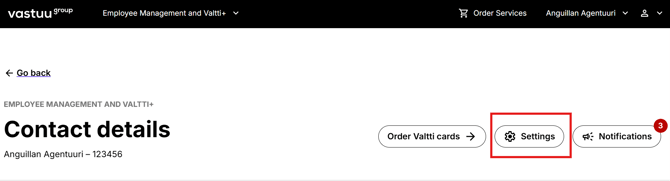
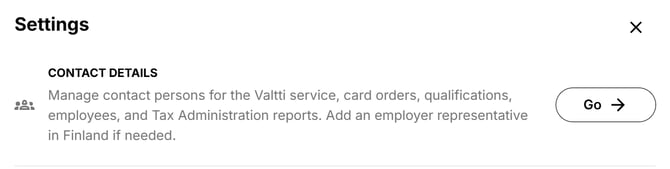
- Go to Contact details by selecting “Settings” and clicking “Go” next to Contact details.
Register to the worksite
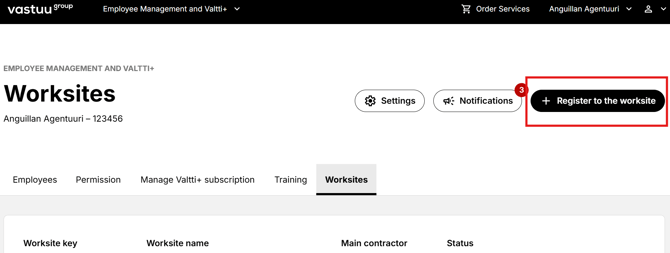
- Go to the "Worksites" tab and click "Register to the worksite" on the upper right corner.
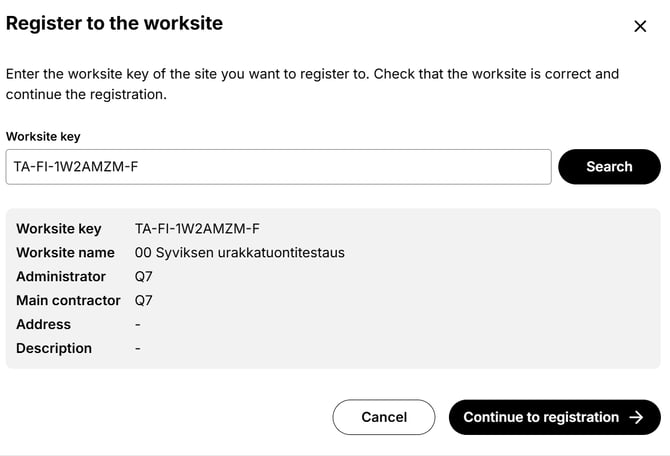
- In the view that opens, enter the construction site key you have received into the empty field and click Search.
- The basic details of the construction site will open for review. Make sure the site is correct and click “Continue to registration”.
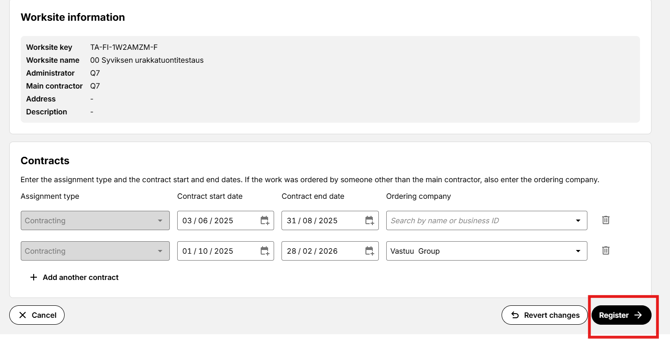
- Fill in the required information on the form: type of assignment, contract start date, contract end date, and the company that ordered the work. Finally, click “Register” at the bottom of the page.
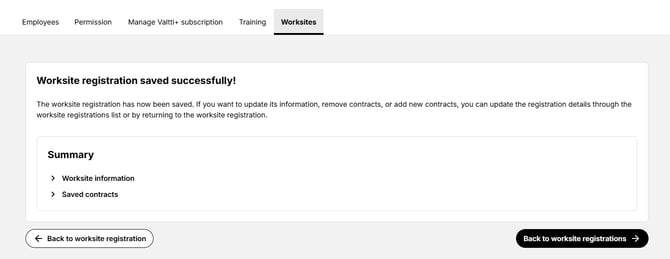
- The registration has been successful when you receive a confirmation message.
Contract management
- On the "Worksites" tab, you can see all registrations and added contracts related to your company’s construction sites. You can edit existing or add new contracts by clicking “Edit details”.
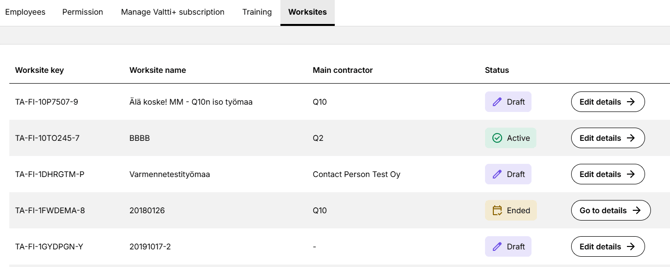
- The construction site status is managed by the main contractor.
- Information related to a construction site with the status “Ended” cannot be edited, but you can view the details by clicking “Go to details”.
Tips
The employer registers to the worksite using the construction site key, but individual employee details are not registered at the site at this stage. Always add your new employees’ details to Employee Management so that the main contractor can use them for employee reporting to the authorities via the Building Site Register.